

Rolling Out Kerberos Without Active Directory
Imagine you're the network admin for a mid-sized shop — a mix of Linux servers, and Linux, macOS, and Windows clients — and leadership tells you to get Kerberos authentication working across all of it. No Active Directory in the picture. You've heard the name Kerberos a hundred times, but you've never actually stood one up. Where do you even start?
Here's how I'd actually work through that, step by step, the way I'd really do it rather than how a textbook would.
Start with what you already know
My general understanding going in was that Kerberos is an authentication and access control protocol used to authenticate users and services in a network environment, typically inside an organizational domain. It's often used alongside Active Directory, but it doesn't have to be.
Before I went looking for anything, I wrote down what I believed was true:
- A domain is needed
- Active directory is used, and can work across Windows, Mac, and Linux
- A Kerberos server/service must be configured
- Clients must be configured
Some of that turned out to be half right.
Figuring out the actual plan
YouTube is generally the first stop in any modern-day knowledge quest. When I'm unfamiliar with a topic, I'll usually look for something that summarizes it and gives me an introductory knowledge base. There's no shortage of videos explaining what Kerberos is conceptually, but I didn't have much luck finding a succinct walkthrough of the actual steps involved in implementing it on a network. So I moved on.
I did a lot of googling after that, and yeah, I asked AI too. Some of the questions I was trying to answer:
- Can I authenticate Linux, macOS, and Windows using AD and Kerberos?
- Can I authenticate them without Active Directory?
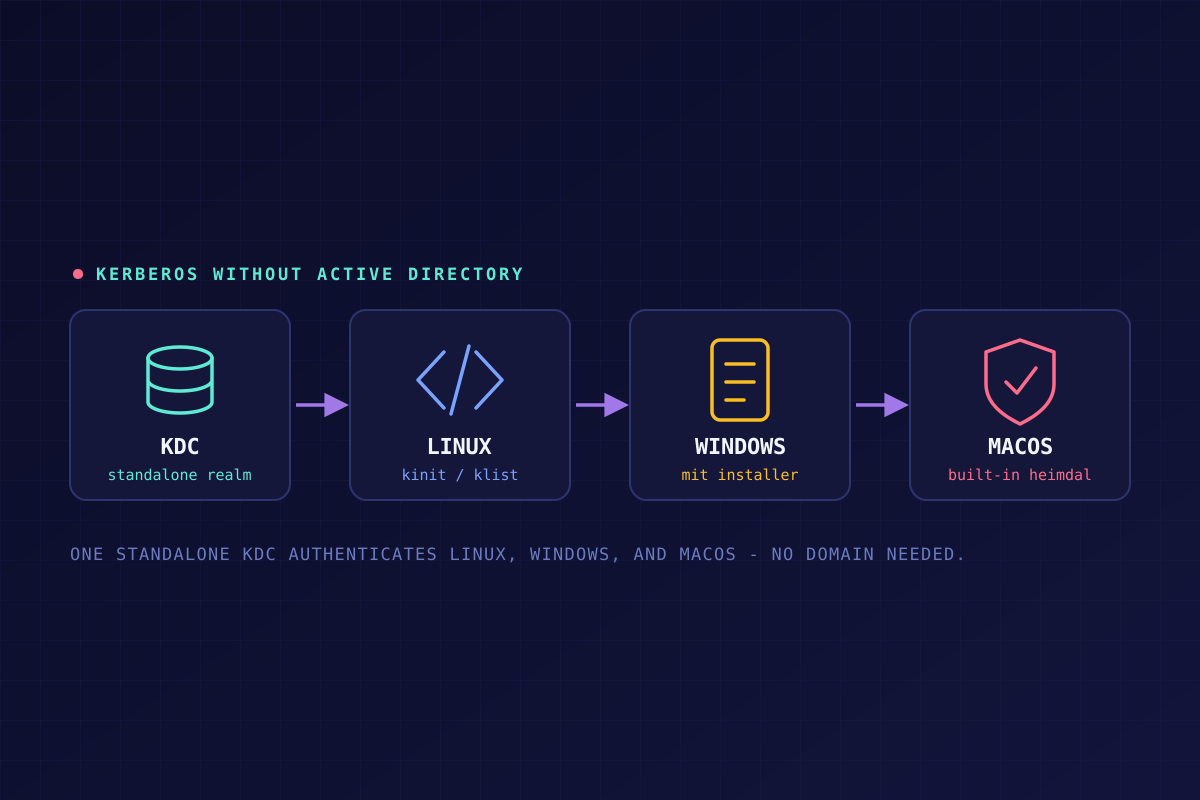
That second question is the one that matters here, because the scenario doesn't hand you an AD environment — it just says "implement Kerberos." Looking at the search results (and the AI answers), the conclusion I landed on was that the right move, given AD isn't part of the scenario, is a standalone Linux Kerberos MIT server, which can authenticate clients on all three operating systems to any network service that requires it.
That said, it's worth being honest about the fork in the road here: if your actual goal is Active Directory with Kerberos riding along underneath it, you're signing up for a Windows Server deployment and all the group-policy machinery that comes with it. If your goal is just "authenticate people to services, cleanly, across platforms," a standalone MIT KDC gets you there without dragging AD into it. Which one you pick depends on whether you need the policy controls or just the authentication.
The server
Ubuntu provides a detailed, genuinely thorough guide to installing a standalone MIT Kerberos KDC. It walks through installing krb5-kdc and krb5-admin-server, creating a new realm with krb5_newrealm, configuring /etc/krb5.conf and /etc/krb5kdc/kdc.conf, and setting up principals through kadmin.local — a normal user principal, then an admin principal with the right ACL permissions. One thing it flags early that's easy to overlook: Kerberos is time-sensitive, so your KDC and clients all need NTP-synced clocks, or authentication will fail outright even when everything else is configured correctly. I'd start here on an Ubuntu Server VM and troubleshoot as issues come up.
Linux clients
Ubuntu also has a matching guide for configuring clients against the Kerberos MIT server. Same documentation set, same expectations, straightforward continuation from the server setup.
macOS clients
This is where I'd correct my own original assumption. I initially figured you'd need to grab client software from MIT's distribution page for Mac, the same as Windows. You don't — macOS has shipped with a built-in Kerberos implementation (Heimdal, not MIT's own code, but interoperable) since OS X 10.3. kinit and klist are already sitting in Terminal. For a standalone MIT KDC like the one above, you're just pointing the existing Mac Kerberos config at your realm — no separate installer needed.
Windows clients
Windows is the one that actually needs installed software if you're not running AD. MIT maintains installers for this on their Kerberos distribution page — current release is MIT Kerberos for Windows 4.1, in both 64-bit and 32-bit MSI builds. There's also a shorter third-party config and credential-cache setup guide if you want something more condensed than the full docs.
For both Mac and Windows, MIT's user documentation covers obtaining and viewing tickets once a client's configured — that's your kinit/klist reference either way.
Services
Each service's setup is going to look different depending on what it is, but the pattern is consistent: you register the service as a principal in the realm, and from then on, when a client requests that service, the authentication ticket gets verified against the KDC instead of the service checking credentials itself. That's the actual payoff of doing all this — once services are registered, you're not managing separate logins per application, you're managing one ticket-granting relationship per client.
Takeaway
The scenario here is a trap if you go in assuming "Kerberos" automatically means "Active Directory." It doesn't. If nobody's handed you an AD environment, a standalone MIT KDC is a legitimate, fully cross-platform way to get there — Linux and the KDC itself are well documented by Ubuntu, Windows needs an actual client install, and macOS needs nothing at all because it's already in the box. The real decision isn't "how do I install Kerberos," it's "do I actually want AD's policy controls, or do I just need authentication" — and that's worth settling before you touch a single config file.