

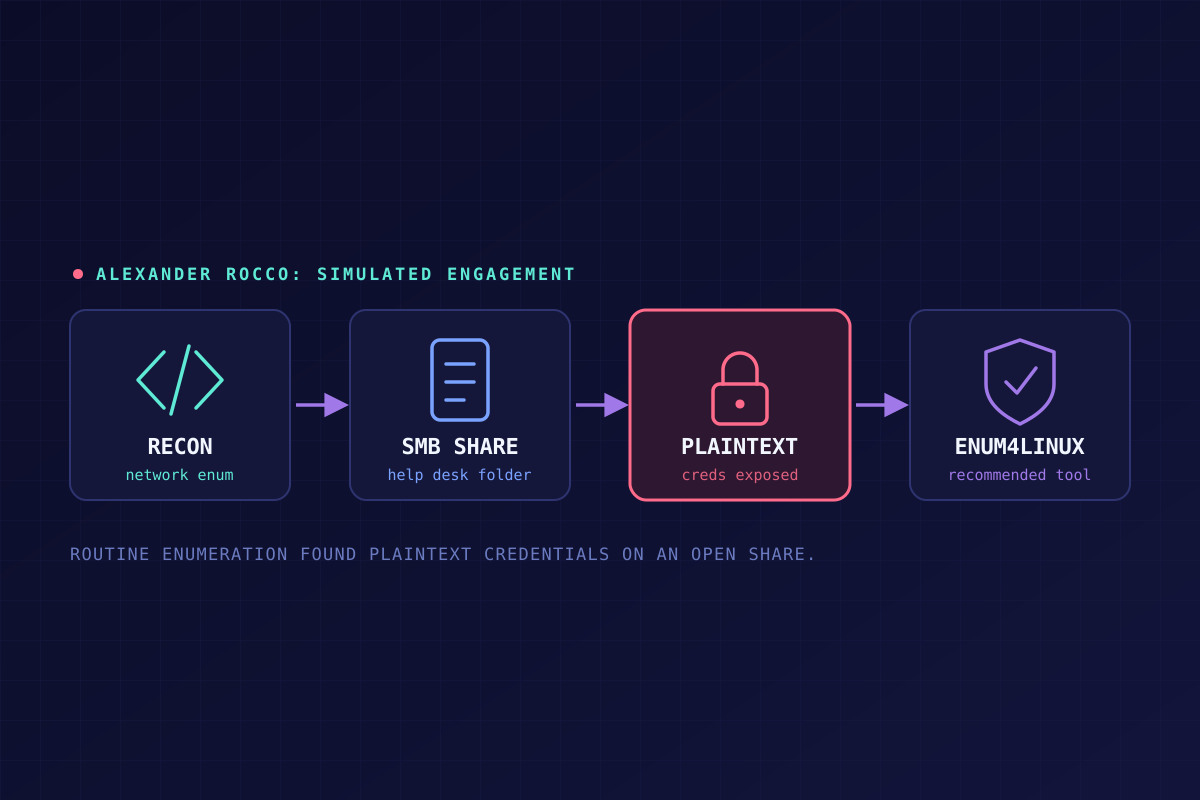
What I Found on an Open SMB Share (and What I Asked to Do About It)
This is a simulated scenario. "Alexander Rocco Corporation" is a fictional company used as a recurring case-study client in penetration testing coursework — nothing here is intended to describe an actual organization, breach, or incident.
You're partway through authorized enumeration of a client's network when you stumble onto something you weren't even looking for: a Windows shared folder, open to the Help Desk department, with an Excel spreadsheet sitting in it listing every employee's email address and password in plain text. Not hashed. Not encrypted. Just sitting there, because it's convenient for help desk staff to pull up when someone calls in locked out — even when they're working remotely.
That's the setup. Here's how I'd actually handle finding something like that, and what I'd ask permission to do next.
Finding it
After conducting enumeration on the Alexander Rocco network, I came across several Windows computers with shared folders tied to the Help Desk department. One of those folders contained a spreadsheet of plaintext employee credentials, used so help desk staff could reset passwords for people who called in — including, apparently, while those staff were away from the office and accessing the share remotely.
That's not a hypothetical "someone could misuse this" problem. That's live, unencrypted credentials, reachable over SMB, used as a password-reset mechanism instead of an actual identity system. Here's the memo I'd send up the chain the same day:
To: Jawad Safari — IT Management
From: Norm Alman — InfoSec Team Subject: Critical SMB Vulnerabilities
After a recent network scan and enumeration, it was discovered that several employees are sharing a spreadsheet with non-encrypted employee credentials. This represents an immediate and critical vulnerability that we should work to address.
Employees report that they're using the spreadsheet to reset passwords and are also accessing the shared folder while away from the office. I'm sure you understand the potential threat that keeping and transmitting this information in the clear represents to our network security.
Mitigation/Recommendations
- This practice is highly insecure and should end as soon as possible.
- Help desk personnel should reset employee passwords and force a change at next login through the Active Directory domain controller. This removes the need to store unhashed credentials outside the authentication system entirely.
- If staff genuinely need a separate credential record (not recommended), a proper secrets-vault application — containerized, 2FA-protected, AES-256 encrypted at rest — is a far safer option, reachable over VPN or RDP with the right safeguards.
- SMBv1 should be disabled network-wide.
- Folder, file, and group/user permissions should be audited to confirm zero-trust/least-privilege principles are actually being followed.
- Network segmentation should factor into file sharing too, so shares aren't reachable by anyone outside the group that actually needs them.
- Per OSSTMM guidance specifically: use SMB 3.1.1 or later with encryption enabled, enforce proper ACLs on shares, and make sure SIEM logging and monitoring is configured to alert on suspicious SMB activity.
Getting permission to dig deeper
Finding one exposed share raises an obvious question: what else is sitting out there that enumeration hasn't caught yet? With client authorization to run basic security checks on the domain — but no access to a paid scanner like Nessus or OpenVAS — the next step was finding a free tool that could actually do the job, and then making the case to use it.
That tool is enum4linux — a command-line tool built specifically for pulling information out of Windows/SMB environments: users, groups, shares, password policy hints, OS/service banners, and more. It's old and no longer actively maintained, but the core functionality still holds up for exactly this kind of engagement. Before running it, the right move is explaining to whoever's signing off exactly what it does and why — not just quietly using it because it's free.
To: Boss
From: Norm Alman
Subject: Security Scanning
Recently we discussed doing some basic vulnerability scanning and enumeration on the internal network. Lacking options for paid tools, you asked that I present a viable option that will do the job. I'm happy to report that after research, I've found the right tool for our scans.
Enum4Linux
This is a CLI tool primarily aimed at enumerating users, groups, and SMB share information, though it can surface other key network details too. With it, we can see what an attacker would see — and address those issues proactively, before someone else finds them first.
With Enum4Linux we can:
- Enumerate lists of users and groups, along with their security identifiers (SIDs).
- List available SMB shares on the network and determine their permissions.
- Potentially uncover details about our password policy — which, paired with the point above, is exactly the kind of information an attacker would use to structure a brute-force attempt.
- Perform banner grabbing and OS/version detection, telling us what systems and services are running and whether any are outdated and vulnerable.
- Run general SMB security checks — guest access status, password hash dumping attempts, anonymous session connections.
While the tool isn't actively maintained and shows its age, it still does exactly what we need for this scope of testing. With your permission, I'd like to move forward.
Takeaway
Both of these memos came out of the same few hours of enumeration, and they're really the same lesson told twice. The spreadsheet wasn't found with some exotic exploit — it was sitting on a share nobody had bothered to lock down, discovered during routine recon. And the fix for "what else is out there" wasn't a paid platform, it was a free, unmaintained tool that still does the one job it needs to do. Most of what enumeration turns up isn't dramatic. It's just stuff that was never properly secured in the first place, waiting for someone — authorized or not — to go looking.