

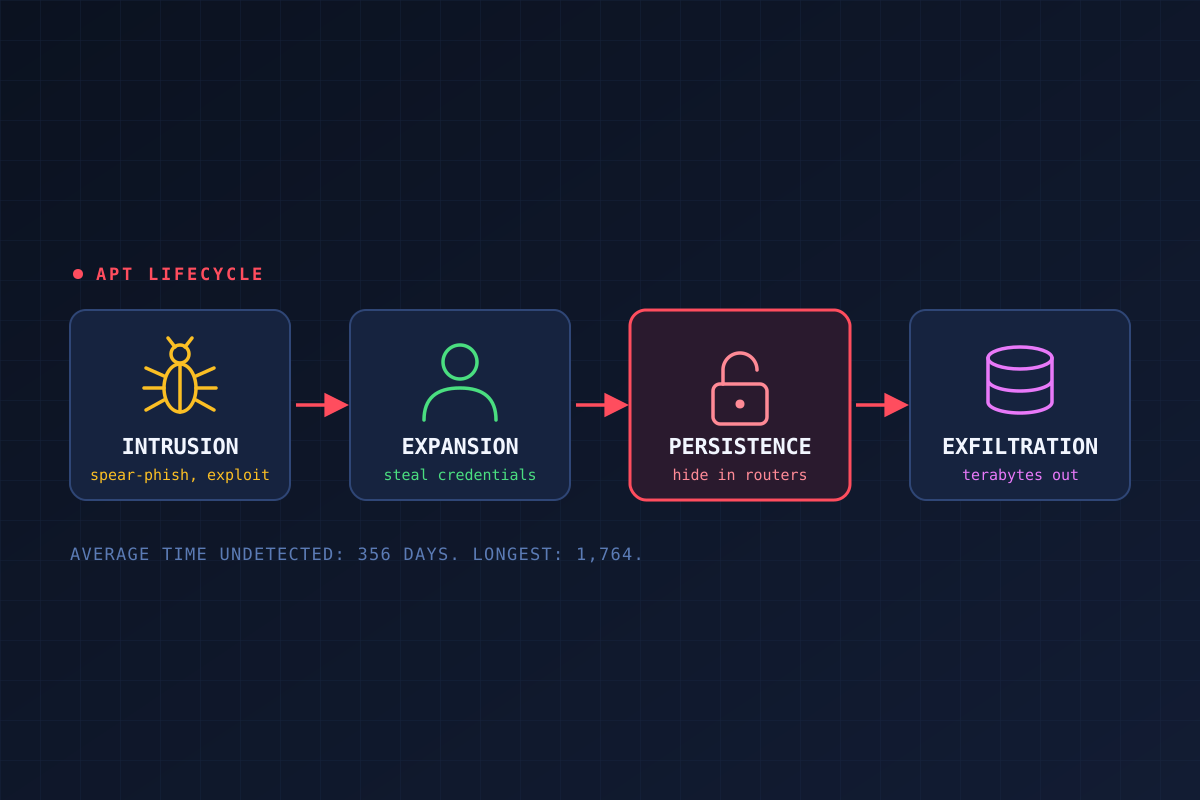
The APT Lifecycle: How Attackers Lived Inside a Network for a Year (or Nearly Five)
In 2013, Mandiant published a report on a group it called APT1. The numbers were hard to ignore. APT1 had compromised 141 organizations across 20 industries. On average, it stayed inside a victim's network for 356 days. The longest intrusion lasted 1,764 days, almost five years. And in one case, it stole 6.5 terabytes of compressed data from a single organization over ten months.
That's what an advanced persistent threat (APT) looks like. Here's how they work.
What makes it an APT
An APT is a type of network attack where an attacker gains unauthorized access to a target network and stays there for a long time without being detected. Each word in the name means something:
Advanced: the attacker uses sophisticated techniques to exploit weaknesses in the target's systems.
Persistent: an external command-and-control system continuously extracts data and monitors the victim network.
Threat: there are humans involved, and they're coordinating.
These attacks are highly sophisticated. They tend to use well-crafted malicious code (sometimes including zero-day exploits, though it isn't a requirement, and APT1's usual way in was a spear-phishing email) and then work to erase evidence of what they did once the goal is met. They usually go after organizations that hold valuable or sensitive information, like financial, healthcare, defense and aerospace, or manufacturing data. And the main objective is usually to steal that information, not to sabotage the system.
The six phases
When launching an APT, attackers follow a set of phases to target, penetrate, and exploit a network. (Mandiant describes APT1's process in more detail, with eight steps, but they map onto these.)
Preparation: The attacker defines the target through extensive research. If necessary, they organize a team, build or acquire tools, and test them for detection. APTs take a lot of preparation to avoid being caught by network security.
Initial intrusion: The attempt to get in. Common techniques are phishing, social engineering, and exploiting vulnerabilities on public-facing servers. Phishing emails can carry malware or malicious links and attachments, and social engineering can pull inside information about the target. Typically, malware gets deployed and starts an outbound connection back to the attacker.
Expansion: The attacker grows their access and collects credentials. The initial foothold often won't reach the data they actually want, so they have to spread to more systems until they reach it. They try to get administrative credentials to escalate privileges, usually stolen from cached locations. If that fails, they fall back to social engineering, more exploits, or infected USB devices. Here's the thing: once an attacker has administrative access, they're acting with a legitimate username and password, which makes their movement really hard to track.
Persistence: The attacker works to keep access by evading endpoint security, IDS, and firewalls. They often install custom malware on multiple systems. They'll also hide it in places nobody routinely examines, like routers, servers, firewalls, and printers.
Search and exfiltration: This is the goal. The attacker finds the data they came for, or in some cases just grabs any sensitive data they find. They often export everything: documents, email, shared drives. The transfer can be automated and encrypted to slip past data loss prevention (DLP) controls.
Cleanup: The attacker removes evidence of the compromise and the details that could identify them. They may even manipulate data to hide the intrusion or mislead analysts. The most important thing for them here is to make it look like no breach or exfiltration ever happened, so they can keep long-term access.
Where defenders get their chance
Looking at it as a defender, the early and late phases are hard to catch. Preparation happens off your network, and by the time you're in cleanup, the attacker is already trying to make themselves look invisible. The middle phases are where they have the most to do, so that's where you have the most chances to spot something:
Expansion: watch for odd use of credentials, like an account logging in from somewhere new or at strange hours, or hitting systems it never used before.
Persistence: check the places nobody checks. If an attacker is hiding in a router or a printer, you won't find them with your endpoint tool alone.
Exfiltration: monitor outbound traffic. Moving 6.5 terabytes out of a network takes a while, and big, steady flows to unfamiliar destinations are worth questioning.
Takeaway
The 356-day average is the number I keep coming back to. It means the typical victim in that report had an attacker living in their network for almost a year, and didn't know. If you're defending a network, assume you can't stop every initial intrusion. Plan for the attacker who's already inside, and build the monitoring that would catch them in the middle of the lifecycle, not just at the front door.